Tuesday, February 10, 2015

Stuck on silliness

Last night I got stuck on a silly problem. I was trying to add an array of item colors before my graphics definitions:

ItemColors ;This is the new array
        .byte #$44
        .byte #$44
        .byte #$44
        .byte #$44
        .byte #$44
        .byte #$44
        .byte #$44
        .byte #$44
        .byte #$44
        .byte #$44
        .byte #$44
        .byte #$44
        .byte #$44
        .byte #$44
        .byte #$44
        .byte #$44
        .byte #$44

ItemGfx
        .byte #%00000000;--
None
        .byte #%00000000;--
        .byte #%00000000;--
        .byte #%00000000;--
        .byte #%00000000;--
        .byte #%00000000;--
        .byte #%00000000;--
        .byte #%00000000;--
        .byte #%00000000;--
KeyIcon
        .byte #%00001100;--
        .byte #%00001000;--
        .byte #%00001100;--
        .byte #%00001000;--
        .byte #%00001000;--
        .byte #%00011100;--
        .byte #%00010100;--
        .byte #%00011100;--

...etc

The ItemGfx array was already there, with many more item graphic definitions following it. Everything worked fine. But when I added that ItemColors array, suddenly my items wouldn't appear anymore once the enemies were killed in a room! It wasn't even referencing the ItemColors array anywhere. And I was looking up ItemGfx by the label, so it shouldn't have mattered if it was offset by a few bytes. I even fired up the debugger to verify -- the item graphics were still being properly loaded.  I removed the array just to double check, and it started working again. I spent a good hour and a half stepping through on Stella's incredible debugger trying to figure out what was going on.

Turns out, it was a bug in a different section of code. Thanks to a suggestion from yllawwally, I'm storing a position for each room layout that things (items) can spawn in. That gets specified in an array immediately after the itemGfx arrays:

SafeSpawnX
    .byte #100
    .byte #100
SafeSpawnY
    .byte #30
    .byte #30

Well, it turns out that my code to read those spawn arrays was buggy, and I never noticed. It wasn't actually reading those arrays, but instead some unintended byte at some random address that happened to be in the middle of the itemGfx array (not really "random", because it was the same byte every time, but random in the sense that the selection was made by the nature of the bug, not on purpose). I just lucked out that it happened to be a reasonable value that wasn't so far off from my hardcoded safe value, so I never noticed. Until I inserted a few more bytes before, meaning I was now hitting a new "random" value, which didn't have the magic coincidence of working.

Sheesh.

Anyway, I'm back on track now. I'm currently sidetracked playing with trying to move some code to bank 2, and reducing the amount of space my code takes up -- I realized I only have about 700 bytes of space left in bank 1, and I have a lot more I'm hoping to put there. At the current rate, I won't have space for the game as designed, unless I manage to move a lot to bank 2 and trim things up a bit. Or switch and use a different bankswitching mechanism.  We'll see.

Sunday, January 25, 2015

Little Endian

The 6502 is little-endian. If I just remembered that, I'd save myself a lot of trouble and time. That is all.

Friday, January 23, 2015

Well that changed quickly

Once I finally got on here to complain about how I was getting discouraged by a lack of visible progress, suddenly things start working! Today I managed to get an hour or so to work on the game, and only about 15 minutes in, I got the last bugs sorted out that were preventing the items from actually appearing on the screen.

For the zillionth time, I fired up the emulator, killed the green slime in this room, expecting nothing to show up (as usual) and lo and behold, the key appeared! Once it showed up, it was pretty easy work to set it up so collisions made it disappear and play a nice musical note to make you feel happy.

Now that I look at it, it looks like somebody took the yellow key from Adventure,
turned it sideways, and painted it lime green. I'm pretty sure it's not supposed to be green. Oops.


I still have to make it properly add to your inventory, but at least I feel like I'm making progress. So ignore all those things I said in my previous post!

Thursday, January 22, 2015

Stuck on Items

It's been slow going the last month. Sick kids, more sick kids, a messed up tooth that hurt too bad to concentrate, I've been way too tired to really get much done.

I've added a room or two onto Robo-Ninja, but haven't done much else it with.

On Atari Anguna, I've been stuck on trying to get item drops working. When the enemies all die, an item needs to (maybe) spawn, which means reusing all the enemy state & graphic variables to display and track an item instead of an enemy.

Should be pretty easy. But ugh, it's going slow. Just a lot of code to update all over the place, and somehow my brain isn't able to track it all right now. I sit down to code and I spend 30 minutes and finish about 10 lines of code. (And in 6502 assembly, 10 lines will get about NOTHING done).

Part of the trouble is that it's not very to make incremental visible progress. I need to get a huge chunk of the item code in place before I can really SEE any of it in action, so I don't get that positive feedback of seeing it on the screen.

I'm sure I'll get it figured out eventually. But dang, it's going slow.

Monday, December 29, 2014

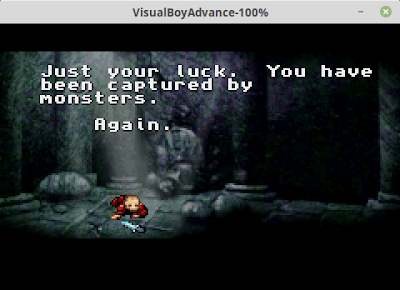
Worst intro cutscene ever?

It's a toss-up which is worse, the intro to Bad Dudes, or the intro to Robo-Ninja.  I'll let you decide:

Bad Dudes:


Robo-Ninja:


Tuesday, December 23, 2014

Condensing my room definitions

I recently realized that I was doing it wrong in my room definitions. Previously, I was storing the addresses of each section of background wall data, like:

TestRoom
    .byte #<TestRoomLineDefsA   ;background definition.
    .byte #>TestRoomLineDefsA   ; The < and > signify low and high bytes of 
    .byte #<TestRoomLineDefsB   ; the pointer address.
    .byte #>TestRoomLineDefsB
    .byte #<TestRoomLineDefsC   ; Atari backgrounds are made up of 3 chunks
    .byte #>TestRoomLineDefsC   ; of data which is why there are 3 pointers.
    .byte #ROOM_COLOR_BROWN     ;room colors
    .byte #ROOM_COLOR_GRAY
    .byte #TOP_CLOSED           ;door flags 
    .byte #<EnemyDefSlime       ;what enemies are in this room
    .byte #>EnemyDefSlime
    .byte #3                    ;number of enemies
    .byte #NO_ITEM              ;any special items in the room


That's 6 bytes for each room that are used to point to the background data. Realistically, there's no way I'm going to have more than 255 different room backgrounds. (There's just not enough ROM space for it), so an int Id seems to make a lot more sense, with the assumption that all 3 sections are always going to be used together:

TestRoom
    .byte #ROOM_STARTING
    .byte #ROOM_COLOR_BROWN
    .byte #ROOM_COLOR_GRAY
    .byte #TOP_CLOSED 
    .byte #<EnemyDefSlime
    .byte #>EnemyDefSlime
    .byte #3
    .byte #NO_ITEM

Doing so, I've cut the space required for a room definition in half. That means I can have twice as many rooms in my game before I run out of space. I think that's worth it! If I get around to it, I could cut out another byte per room by changing the Enemy Definition pointer to an ID instead of a pointer, but I'm not sure it's worth the effort just to save a byte per room. We'll see how desperate I get for space by the end, though.....

Sunday, December 21, 2014

Closed, locked, and fake doors

To be somewhat true to the GBA version, Atari Anguna needs doors: doors that open with the right colored key, doors that open when all enemies are killed, and fake walls that don't look like doors, but allow you to walk through them. Plus, since I'm reusing room wall layouts to save cartridge space, I want the ability to say "use room XYZ but seal off the left door"

This was the new challenge this month. I had to find a mechanism for dynamically drawing doors. The general idea would be just to fill in the "door" opening in the wall with more wall -- either some other color for a locked door, or with the wall color for sealed or fake walls.

The trick is dynamically doing this. The top and bottom walls/doors weren't too bad. I made a rule that no enemies will overlap those scanlines, and, by writing separate kernel code for those lines, gave me enough time to modify the background dynamically. It's easy enough to just modify the "background color" (not the color of the walls, but the backdrop) to either match the wall color or be the lock color, just for those few scanlines, then change it back.

The left and right walls are trickier. I don't have time on each scanline to fiddle with things. (And there's not enough ram to write all the room data to ram before rendering, modify it at that time, and then render from ram.)  Luckily I have one more Atari graphics object that I can use: the ball.

The Atari, which was pretty much made to play Pong and Combat, supports 2 sprites, 2 missiles (which match the sprites in color, and are little more than a dot, square, or line, depending on how many scanlines you show them), and a ball, which matches the playfield's color, and is also just a dot, square, or line.

The fact that the ball matches the playfield color makes it easy -- before the frame, I set it up for the ball to display either at the left, right, or not at all, then don't touch it -- it will keep displaying on each scanline, and make a nice looking wall on the right or left. I had to modify my collision code to check for collisions with both the ball and the walls, instead of just the walls, but that was straightforward. The only hitch I've run into so far is the ball collision always takes priority over the wall collision, so for a "fake" wall, the whole wall becomes fake (as the game detects a collision with the ball, which is determined in this case to be a non-blocking collision) instead of just the small portion where there's a hole in the wall.

So far I've got the left and right doors working, and the top doors. I just need to write the kernel code for the bottom door, and I can knock doors off my checklist.

(And I've got about 3 more blog-posts worth of content from the past month that I haven't gotten around to posting about, so maybe I'll find time to write them soon!)

NES Anguna

Well, I had a little bit of time still, while Frankengraphics is finishing up her game Project Blue, to have a little downtime on Halcyon, s...