Sunday, November 16, 2014

Moving Right Along

Both Robo-Ninja and Atari Anguna have been moving forward the past few days, although I haven't had much interesting to say about them.

On Robo-Ninja, I've finally gotten far enough along in the mapping where I can finally assume that, by this point, the player has most or all of the powerups from the first 2/3 of the game. Meaning I can finally switch up a lot of the level designs to force all sorts of difficult combinations and toggling of abilities.  For example, in room "cave_10":


If you can follow my horrible paintbrush drawing....you start dropping down at the purple arrow on the right. You have you double-jump at the blue part, and while in the air, change the "ground action" ability to slide instead of jump, so you can slide under the wall (orange). Then immediately toggle back to jump (and make sure your wall ability is set to wall jump) to handle the yellow jumps. Then you have a very short stretch to toggle your in-air ability from double-dump to the "slam down" ability, so you can slam and avoid the spikes (red).  This only took me about 25 or 30 tries in testing, so I figure the challenge level is about right :-)

(Of course, I was purposely avoiding using the slow motion powerup, which I'd expect somebody to use at this point. Especially because I put one at the gray square there near the beginning, to make sure you have at least one, and to remind they player that it exists)

I'm still putting off my work on the title cutscene though. I just keep thinking it's going to be a lot of work for what amounts to be a really ugly-looking cutscene.


In Atari Anguna land, I've been working on the transitions between rooms. This means fleshing out my room definition code (which previously only had the wall definitions) to also include color scheme, what enemies are in a room, any special state for doors (requiring a key, requiring all enemies to be killed, fake walls, etc), and what item rewards might be in a room.  So far, I'm only as far as colors and enemies. Just tonight I got it rigged up so enemies spawn semi-correctly when you move from room to room.

The part I need to figure out next, is the best way to randomly distribute the enemies in a room, but without spawning them in a wall. Do I randomly drop them in, and if it's a collision, try again? This could take a long time in rooms with a lot of walls. Or do I drop them in, and try nudging them around until they don't collide? That could give really weird results, if I nudge them the wrong way. And what's the best way to detect collisions as I'm spawning them? Trying to compute the mapping between screen coordinates to wall collisions is hard on the atari, it's WAY easier to let the collision detection do it, but that only happens once per frame. So do I do the math myself, or do I waste a bunch of frames trying to arrange my enemies before the player is allowed to play the level?

I'm sure I'll figure it out, but my brain is too tired to properly answer those questions right now. (although I'm leaning toward repeatedly random dropping them in, but giving up after 10-15 tries. And I think I can make the background, walls, and enemies all be the same color as I'm trying to position the enemies, so if there's a 1/4 or 1/2 second loading per room, at least it won't look stupid with the enemies bouncing around trying to get positioned.  (But I'm not 100% sure that that will work))

Monday, November 10, 2014

Rumination on design and global variables

I had an interesting observation the other night. Switching back and forth between Robo-Ninja and Atari Anguna makes me much more aware of the differences in how I write code.

For example, when writing code for enemies in both games, I often need to know about various pieces of state that live outside the enemy -- such as the position of the player. (But not limited to the state of the player, which is what makes this tricky). In a game designed with a modern language and architecture, you have to make a lot of decisions about how you both provide and limit access to the state that the enemy would need. How do you expose certain state to the enemy, without giving it access to all sorts of things it shouldn't have access to?  There are lots of solutions to that problem, but it's a big part of thinking through the design of a system. (Tangent: I find this to be tricky in hobby-style video games, because I'm always dreaming up new enemies and mechanics that require access to things I hadn't planned on. I then sometimes get in a hurry and provide access in the easiest way possible, instead of taking the time to rethink what might be the best design for the future)

For Atari Anguna, on the other hand, everything is fair game. 6502 assembly by default makes all your variables global. In theory you could probably use some discipline to localize variable use, but you really don't have processor time to waste using any sort of accessor mechanisms anyway. Practically, everything has access to everything else.  With these constraints, many of the rules of good design get tossed out the window by necessity.  Which is strangely fun and freeing. An enemy needs to know the player's state? Just read it directly.  Who cares about loose coupling, orthogonality, and all that other stuff?  It feels dirty (and would be a disaster in a larger, more complex program), but for something small and compact like this, just adds to the fun.

Friday, November 7, 2014

Sound effects

The past couple nights have been devoted to getting sound working in Anguna 2600. Unlike video, sound is actually pretty easy, as long as you aren't too picky and don't want it to sound like much. There's 2 sound channels, each one having 3 registers: one for volume, one for waveform (one of 7 or 8 presets), and one that controls frequency. Trying to get any particular notes or scales out of it is near impossible, but getting rough sound effects is pretty easy.

Although I spent way too long last night fiddling with it before realizing that I couldn't set the sound registers before the first video frame for some reason. When I did that, everything locked up. I'm still not sure why, I couldn't find any reference to that in the documentation. Oh well.

My first successful test was to pick a semi-random waveform (#4, which is basically a simple square wave), and tie the frequency to the player's X position, to test it out. This ended up accidentally producing the exact sound effect used in Yars Revenge when the Qotile starts spinning and is about to jump out and kill you. (see this google+ post where I have videos comparing the two).

Tonight I sat down to actually build the sound system for the game. I wanted to be able to do a simple "PlaySound #SOUND_SWING_SWORD" type of command, fire and forget, and have the sound engine do the rest (select which channel to play based on which was busy, start playing the correct sound, and turn off that channel after the right amount of time). Oh, and I wanted to have the sound engine use up no more than 2 bytes of RAM.

Which actually, ended up being not too difficult. I use 1 byte of ram for each channel. The upper 3 bits are used to track which sound ID I'm playing (so I only get 8 sounds possible), and the bottom 5 bits are a timer to track when it should be shut off. Each frame I decrement the timer, then go through the assembly equivalent of a big switch-case block to see what wave and frequency values should be set for that sound. If I want to later set it up so that one sound leads into another (ie one sound effect that has two tones in sequence) I can just build that into the giant switch statement, without having to take up more RAM. And if I really need more than 8 sounds, I can designate certain sounds that would belong to each channel. That would mean certain sound effects could never play at the same time, but if I really come up with that many sounds that I want to play, I think I can deal with that limitation.

Right now I have unpleasant sounds for when the player swings his sword, when you take a hit from an enemy, and when an enemy takes a hit. That's the majority of what I need, so for now, I just need to play around and pick better waveform/frequency values for those so they don't sound stupid, and I should be good to go.

Then it's on to building doors that open and close based on game conditions (# of enemies alive, keys in inventory, etc) as well as secret doors that look like walls but that you can walk through.

Wednesday, November 5, 2014

Enemy Wall Collisions Working

After much mucking about, I finally have the enemy wall collisions working. My general algorithm that I mentioned before was mostly correct, but it needed a little tweaking. The way it works now is:

  1. Check if there was a wall collision last frame. (which would only occur if the enemy was actually drawn!) If so, reset to the "last drawn" position.
  2. If no collision and enemy shown, copy the current position to the "last" position
  3. Move the enemy
  4. Determine which enemies will be shown this frame. If shown, copy "last" position to "last shown" position
  5. Clear the collision flags
  6. Redraw (and capture changes to the collision flags)

The part that really threw me off was the bold part in step 2. I was copying the current to the "last" position even if the enemy wasn't shown, which, once I worked it out on paper, turned out to let the enemy advance slowly through a wall. But it all works now!

Once that was finished, I also managed to nearly recreate my slime "AI" code from the GBA version, so that was a good test to make sure my design is holding up well. ("AI" is in quotes as the there's no intelligence about it, but that's the best label I have for the bit of code that tells the slime how to move around)

So I think I'm finally done with the very core of the game, and it's time to move to other fun things, like transitioning through rooms, adding sound, allowing for alternate items, etc.


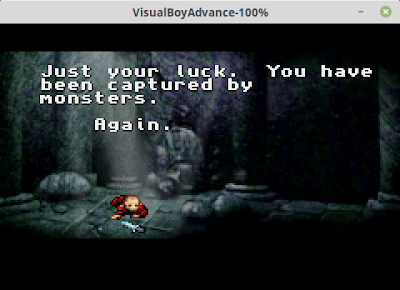
And lest I forget Robo-Ninja, I've cleaned up the cutscene a little, but I'm stuck trying to figure out how to animate, with my limited art skills and free internet art, Dr Squidbrain capturing Prof Treeblot. I need to think of a way that doesn't look stupid, but doesn't really require more frames of animation than I have.

I also started back into level design, which is always a nice diversion when I'm stuck. The past couple of rooms felt a little uninspired, but I'm almost to the point where I can expect the player to have a large set up powerups, so I can start designing new sorts of challenges that require quickly switching between powers. That should be fun.

Sunday, October 26, 2014

Getting stuff done...

So I got a lot done this weekend (not counting the work I did on my back porch, but this isn't a home improvement blog, so....)

  • I got the basics of the scripting system working for cutscenes in Robo-Ninja. I reworked my original design slightly (to put the entire script in a single file, instead of a different script for each "puppet" in the scene). I still need to flesh out a number of the script commands, but I have a very ugly basic cutscene working, where Robo-Ninja stands there as Prof. Treeblot walks away from him, and then a buggy half-broken Dr Squidbrain shows up.

  • On Atari Anguna, I did some thinking, and realized the way I had written 3 completely separate kernels was dumb. I managed to rework it so that the the smaller, simpler kernels were just subsets of the bigger more complicated kernel. They are a couple cycles slower, as I had to add a branch to possibly jump out of the kernel loop for the smaller kernels, but I managed to squeeze the branch into a spot where the timing wasn't as critical. So that saved me a good 500 bytes (1/8 of a bank, or 1/16 of my total rom space). If nothing else, that frees up space for at least 6 more room layouts. (to allow for more total number of rooms, I'll reuse the layout data across multiple rooms in the game)

  • I also got my bankswitching scheme all set up, so that the main game logic happens in one bank, and the display kernel and graphics data lives in the other bank. This was a little messy because I originally divided my code into separate files, based on what sort of game element each file was about. So I had a file for enemies, a file for backgrounds, a file for the main player, etc. But by default, the assembler just lays out everything sequentially in memory. So I had to do a little bit of rearranging to make sure that everything was declared in the right bank. (There was one small set of data, used for positioning sprites, that I ended up having to include in both banks, so I hardcoded its location, so that it was in the same place in both banks).  The fact that I mostly use macros to break up my code (instead of actual subroutines) make it a bit easier, as the macros get substituted inline where you call them, instead of existing where you declare them.

The big thing that annoyed me this weekend is realizing, once again, how slow development is, when you don't have much time to put into it. Often I've only got about 30-60 minutes of useful brain function left in my spare time in the evenings, before I get too tired to do anything useful. It's just hard to get anything done in that time. (which is partially why I like blogging about it -- it takes less brainpower, so I can do this during that weird gap of time where I'm not quite ready for bed, but my brain refuses to produce more code.) I guess if I only had 1 project instead of 2, it would move faster. Although I've really enjoying the fact that I have 2 options. If I get bored of one project, I just swap to the other.

Ok, my brain is fully shutting down now....

Tuesday, October 21, 2014

Kernels, enemies dying, and bankswitching

So for the past couple weeks, I've been putting off working on Atari Anguna because I've been up against a bug that sounded difficult and boring to solve: whenever I killed an enemy, it messed up my kernel logic, and everything went haywire.

What's supposed to happen, is that every frame, I sort my enemies by Y position, and then compare all their Y values, select the right kernel mode, then draw them in order. If an enemy is dead, I'd sort it to the end, and select kernel modes that ignored that enemy. But it wasn't working.

I sat down to tackle this today, and happily, it only took about 10 minutes. It was a simple logic error in my sorting routine, which occasionally caused a dead enemy to get sorted to the front of the list.

(Tangent time! I ended up using a *gasp* Bubble Sort for sorting these enemies. Why? Because I realized that for N=3, which is my case, Bubble Sort only requires 3 comparisons (a/b, b/c, a/b again). So it's a really simple sort to implement, and if I'm guaranteed constant time, then hey, why not. The bug I ran into was that if the enemy in the first position of a comparison was dead, I'd always swap, but I forgot to check if the enemy in the 2nd position was dead, and refuse to swap in that case.)

So tonight I also realized that my kernel was working for 3 enemies as long as 2 of them overlapped, but I never had gotten around to implementing my kernel mode for 3 completely separate enemies. That's really simple and straightforward, but requires a good bit of compiled-code, as I'm using macros instead of subroutines (I can't afford the 6 cycles for the JSR and 6 more cycles for the RTS during my kernels!), so in the compiled code, there's tons of repetition. Well, this created a new problem: I've now almost used up my entire 4K of ROM.

Now the geniuses back in the 80's solved this problem with bankswitching, which is what I now have to figure out. Basically, there are 2 entirely separate blocks of ROM that you can switch in and out of actual ROM. This gives you double the space, but gets tricky. For example, as soon as you give the command to switch banks, it immediately switches. Meaning the instruction pointer is now pointing to the memory location of the next command, but in the other bank. So you have to make sure to line up your code just right, so that when you toggle banks, the code in the new bank picks up and runs where you left off. (And when you power on the Atari, you don't know which bank you're in. So both banks have to have identical initialization routines, so you can get yourself into a known state!)

I think I've got the basics working now:
In both banks, I have an almost-identical routine where I manually load a target address (the target address of a routine in the other bank that I want to execute) onto the stack, simulating what would happen if I had jumped to a subroutine with JSR. Then I toggle banks, and immediately RTS, which makes the Atari try to return from the subroutine, and jump to the target routine in the new bank:

    ORG $D009    ;Bank 0 uses a "pretend" address of $D000
    RORG $F009   ;but a "real" address of $F000
                 ;(The actual Atari ROM is always $F000) 

JumpToOtherBank
    LDA BANK_2   ;Reading this register switches banks
    RTS          ;and then jump to the location on the stack

;;;;;;;;;;;;;;;;;;;;;;;;;;;;;;;;;;;

    ORG $E009    ;Now the same thing for Bank 1
    RORG $F009    

JumpToOtherBank
    LDA BANK_1   
    RTS          

;;;;;;;;;;;;;;;;;;;;;;;;;;;;;;;;;;;;;;

; And then a macro to make it easier to set up
; and call the JumpToOtherBank routine

        MAC BankJump 
            LDA #>{1}   ;push the target's MSB onto the stack
            PHA
            LDA #<{1}-1 ;push the LSB (minus one*) onto the stack
            PHA
            JMP JumpToOtherBank ;then call the magic routine

        ENDM


* I spent a good while fighting this code until I realized I needed the "minus one" on the least-significant-bit. Turns out JSR pushes one less than the address of the next command, and then RTS pulls that from the stack, and increments it. So I was 1 byte off when I'd try to RTS, which was breaking everything horribly.

I still need to actually break my code up into the different banks now. I'm hoping to fit the kernels and graphics data in bank 1, and everything else in bank 0. But we'll see.

And I still need to actually test my full kernel for 3 separate enemies. And do the enemy-wall collisions that I've been planning for weeks. But bank switching is more fun.....

Thursday, October 9, 2014

Jetpack and death counter

Tonight was back to Robo-Ninja. First, to make Aaron happy, I went ahead and created the jetpack item. He's been wishing for that non-stop for months, so I thought it would be a fun surprise to add for him. Plus, it was one of those few times that something was really easy. It helped that it's so similar to the double-jump item in function.

Then, I felt like doing something different (the scripting stuff, while interesting, required some serious thought and design work, which I didn't feel up to tonight), so I added something I've been planning for awhile: the death counter. What good is a hard game if it doesn't regularly remind you about how bad you are at the game?

With Anguna, when I released it, I had a little contest, where the first person to win the game with 100% of the hidden items being found, won a free copy of the game. It was a fun way to drum up some interest and attention. (and was fun from my end -- the 2nd place winner was only a few hours behind the real winner!)

I'm thinking about doing something similar with Robo-Ninja if I ever finish. To have a contest to see who can win with the fewest deaths. I'm not sure what the winner will get, but hopefully it will tempt a few crazy people into actually finishing the game. We'll see. (Realistically, I'll be lucky if I can get more than 5 or 10 people to actually notice and download the game. But hey, whatever).

NES Anguna

Well, I had a little bit of time still, while Frankengraphics is finishing up her game Project Blue, to have a little downtime on Halcyon, s...